
All New Peach Software Channel
Below are just a few of our Tutorials. Check out this video to discover a whole lot more
 All New Peach Software Channel
We are Continually updating our Software and adding Tutorials
One of the most important but challenging things about running a software company is educating their users. We know from experience that a well informed user is not only able to add more value to their business but are also more self sufficient and happy with the product, leaning less on support and spreading positive vibes to their colleagues. This turns into even more business, and so how can we best keep our clients up to date with new features, remembering that the software is only a tool they use and their time and focus is short.
So we have decided to put new announcements right there in the software where they can read them at their own pace. Also from this same area you can now quickly search for information about a feature you would like more information about.
24 feature videos
 Multiple Branches
 Pay Suppliers in Bulk
 Advanced Search
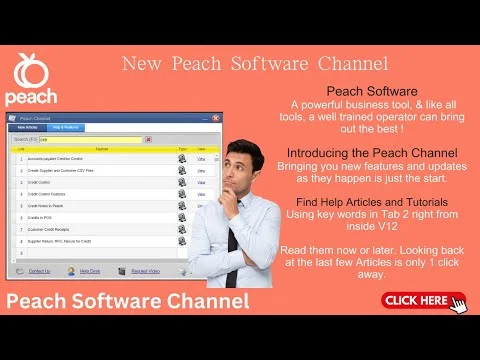 New Peach Software Channel
 Supplier Requisition Screen
 Updates to Workshop
 Enforce Selling Pack Size
 New Combo Box Function
 Alternate Supplier Orders
 Upgrading the Goods In Screen
 Product Groups & Sub Groups
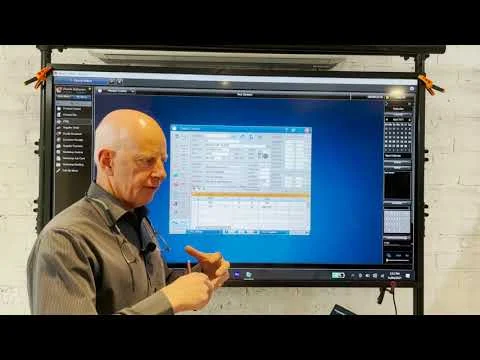 30 Minute Tour
 Supplier Connect
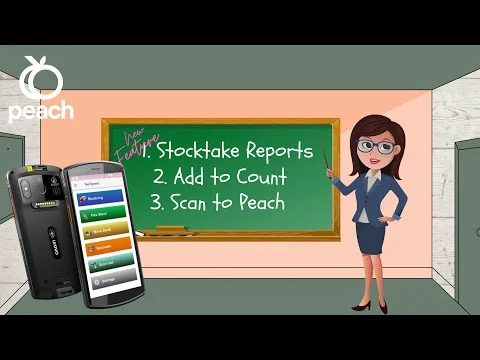 New PDA Function
 More Payment Methods
 Peach Goes Mobile
 New Paperless Warehousing
Expandable Goods In ScreenExpandable Goods In Screen
 Colour Code Product Categories
 B2B Peach Online Mobile
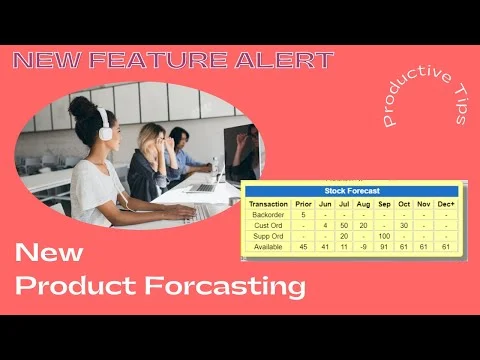 New Product Forecasting View
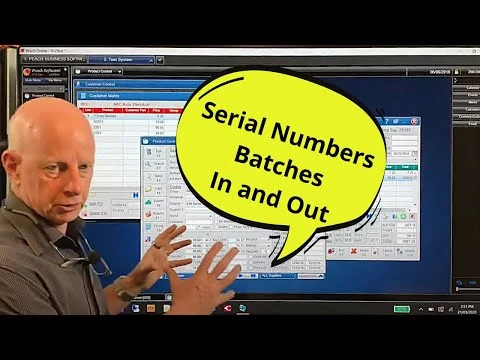 Serial and Batch Numbers
 New Bin Location Features
 New SMS Customers
Below is an index to all Peach Software Resources that we have on our Web Site
This list is not in any particular order and certainly not presented in a Web page format but it does include a link to all our education material. We will add any new articles to this as well as them being positioned in the appropriate area of the web site. You can also use the search area in this web site with a key word.
Branches
Consignment Stock
CRM
- Customer and Supplier Contacts and Marketing – Introducing the beginnings of Peach Software CRM Features
- Moving Customer and Supplier Contacts to the new Contacts and Marketing Screens- CRM & Email Marketing
- Advanced Search can quickly take you to a Customer, Supplier, Transaction, Contact by searching the entire Database in a single action.
POS + Invoices
- Watch our New Invoicing Video for Tips and Tricks
- Send customised CSV Files with Customer and Supplier Orders
- Point of Sale screen introduction – Have a look around the Peach Software Point of Sale Screen
- Lay-Buy Deposits – How to do a Lay-buy in Peach Software
- Keeping Track of Lost Sales – How to record the ones that get away
- Core Deposits – Peach will Automatically charge a Deposit on a part when the Core Item needs to be returned.
- Ten Tips about the sales screens your staff should know
- Custom Templates can be used as a pre-defined but editable set of parts for a standard job
- New Multi Promotion Feature – Run multi customer focused simultaneous Promotions
- Generate Customer Orders using History, Quotes and Templates – Lift your sales Game!
Contacts and Marketing
Accounts Stuff
- Bulk Email Invoices – Just select 1 or many customers and the date range. Click send, it’s really that simple
- Email Account Reminders – Wind in your Debtors with this very quick Feature
- Email and/or Print Statements – Save Stamps, Envelopes, time and spit
- Accounts Receivable – Making applying Customer Payments easy and flexible
- Step by Step Supplier Payments including Discounts and Correcting Errors
- Lay-Buy Deposits – How to do a Lay-buy in Peach Software
- Trading Summary Screen – This is your Live Window to your Money making machine
- Custom Reports – Create your own report from scratch or by using system reports as templates
- General Ledger has arrived to V12 – Check it out here…
- Most systems have the option of tracking 30, 60 or 90 days, but Peach Software goes much further with Debtor Credit Control
- Pay all your suppliers with just 1 Click – Send out all the remittance Advice’s another Click – Load the ABA file into your internet Banking. Check it out
- Advanced Search can quickly take you to a Customer, Supplier, Transaction, Contact by searching the entire Database in a single action.
Product Stuff
- Product Browse – View & Edit Products, Customers or Suppliers in a Grid
- Kitting – Assemble Components into a Kit
- Product Groups and Subgroups – Are invaluable for businesses with large inventories.
- Product Alternates and Super Sessions – Alternate Suppliers, Parts & Super Sessions
- Pricing for Products and Customers – You to manage cost updates, set customer pricing and Markup/GP% Calculator
- Importing Data – Importing Product, Customer, Alternates, Supplier and Price Update Data into Peach Software
- Customer Automated Contract Pricing – Peach Software has many ways to achieve the most flexible pricing for each customer or group of customers.
- Paperless Warehousing – Use our PDA Application to Receipt, Stocktake, Store, Pick and Move Goods around your warehouse.
- Check out Product Notes & Paperclip From Product, Customer and Supplier Control Screens
- Product Serial and Batch Numbers now available in Peach Software.
- Use Barcode Scanning to Sell, Receive and Stock Take products
- Goods In – Ordering and Receiving/Booking Goods into Peach Software
- Generating Reorder Levels – Save hours by generating Reorder levels with an unlimited combinations of stored algorithms.
- Re-Ordering – Generate Supplier Orders from Min/Max, Customer Orders, Replace Sales etc
- Import Goods In – Recall your Supplier order, enter the exchange Rate and local charges and Peach will calculate your landed prices
- Import Goods in Transit from Manifest – Transfer goods from Multiple Supplier orders onto one Goods In from a shipping Manifest
- PackSize Conversion – Buy and Sell in different Qty’s and Create Economical reorder levels
- Percentage Price Change – Update Costs, Sell, Promotional or Future Pricing across all or some of your products
- Keeping Track of Lost Sales – How to record the ones that get away
- Product Packing Screen – Inner & Outer Barcodes – Carton and Pallet Qtys – Product Specifications and more…
- Customer Special Price Report – Save hours of work providing customers with Price Lists
- Core Deposits – Peach will Automatically charge a Deposit on a part when the Core Item needs to be returned.
- Custom Templates can be used as a pre-defined but editable set of parts for a standard job
- Revalue your Dead or Slow Moving stock – Reduce Profit and your Tax Liability
- Customise Kits on the Fly – Change, Remove or Add components of a Standard Kit on the fly NEW FEATURE
- A Dangerous Goods report is required by shipping companies when a consignments contains Flammable products or Chemicals – Peach makes this straight forward
- Product Pictures are worth a thousand words
- Hide Products.. Handy for cleaning up your files and stopping Staff using old products.
- You can Pick and Invoice from Multiple Bin Locations – Picking slips will print a list of locations in Alpha Numerical Order where each part number can be picked from.
- The Reference file is a Secondary Product File used to store Supplier Files which can be prepared for Retrieving into the product file should they be Enquired upon.
- Advanced Search can quickly take you to a Customer, Supplier, Transaction, Contact by searching the entire Database in a single action.
Basic Tour
- Starting Peach V12 – Signing in, Using the Test Area and opening Prior Months
- My Menu – Customise your desktop
- Quick Start Guide to Peach V12
- Back Ups – Backing up Your data can be done from anywhere and is Encrypted by Default.
- Trading Summary Screen – This is your Live Window to your Money making machine
- Advanced Search can quickly take you to a Customer, Supplier, Transaction, Contact by searching the entire Database in a single action.
House Keeping
- My Menu – Customise your desktop
- Pricing for Products and Customers – You to manage cost updates, set customer pricing and Markup/GP% Calculator
- Importing Data – Importing Product, Customer, Alternates, Supplier and Price Update Data into Peach Software
- Send customised CSV Files with Customer and Supplier Orders
- Back Ups – Backing up Your data can be done from anywhere and is Encrypted by Default.
- Percentage Price Change – Update Costs, Sell, Promotional or Future Pricing across all or some of your products
- Tidy up and Write off Dead stock, ready for the End Of Financial Year
- Three new Features – New Trading Summary Screen – Set a Background Colour to Identify your business – Editing a product line in the Grid
Customer Stuff
- Pricing for Products and Customers – You to manage cost updates, set customer pricing and Markup/GP% Calculator
- Importing Customer Data – Importing Product, Customer, Alternates, Supplier and Price Update Data into Peach Software
- Customer Automated Contract Pricing – Peach Software has many ways to achieve the most flexible pricing for each customer or group of customers.
- Bulk Email Invoices – Just select 1 or many customers and the date range. Click send, it’s really that simple
- Email Account Reminders – Wind in your Debtors with this very quick Feature
- Email and/or Print Statements – Save Stamps, Envelopes, time and spit
- Accounts Receivable – Making applying Customer Payments easy and flexible
- Send customised CSV Files with Customer and Supplier Orders
- Check out Product Notes & Paperclip From Product, Customer and Supplier Control Screens
- Use Barcode Scanning to Sell, Receive and Stock Take products
- Customer and Supplier Contacts and Marketing – Introducing the beginnings of Peach Software CRM Features
- Customer Special Price Report – Save hours of work providing customers with Price Lists
- Moving Customer and Supplier Contacts to the new Contacts and Marketing Screens- CRM & Email Marketing
- Most systems have the option of tracking 30, 60 or 90 days, but Peach Software goes much further with Debtor Credit Control
- Hide Customers.. Handy for cleaning up your files and stopping Staff using old accounts
- Advanced Search can quickly take you to a Customer, Supplier, Transaction, Contact by searching the entire Database in a single action.
Supplier Stuff
- Importing Supplier Data – Importing Product, Customer, Alternates, Supplier and Price Update Data into Peach Software
- Supplier In Transit Screen – Consolidate multiple supplier orders from a Supplier shipping advice and Update ETA’s
- Send customised CSV Files with Customer and Supplier Orders
- Check out Product Notes & Paperclip From Product, Customer and Supplier Control Screens
- Receive and keep track of Supplier Consignment Stock with the new Supplier Consignment Screen
- Use Barcode Scanning to Sell, Receive and Stock Take products
- Step by Step Supplier Payments including Discounts and Correcting Errors
- Customer and Supplier Contacts and Marketing – Introducing the beginnings of Peach Software CRM Features
- Goods In – Ordering and Receiving/Booking Goods into Peach Software
- Generating Reorder Levels – Save hours by generating Reorder levels with an unlimited combinations of stored algorithms.
- Re-Ordering – Generate Supplier Orders from Min/Max, Customer Orders, Replace Sales etc
- Import Goods In – Recall your Supplier order, enter the exchange Rate and local charges and Peach will calculate your landed prices
- Import Goods in Transit from Manifest – Transfer goods from Multiple Supplier orders onto one Goods In from a shipping Manifest
- PackSize Conversion – Buy and Sell in different Qty’s and Create Economical reorder levels
- Hide Suppliers.. Handy for cleaning up your files and stopping Staff using old accounts
- Advanced Search can quickly take you to a Customer, Supplier, Transaction, Contact by searching the entire Database in a single action.
- Alternate Suppliers can confuse even the best inventory software but Peach has this covered.
- Ordering on Alternate Supplier – a new feature that offers so much more flexibility Check this out
PDA
Trade Connect
Reporting
- Product Sales Analysis Reports – Monitor product Sales Trends
- Trading Summary Screen – This is your Live Window to your Money making machine
- Custom Reports – Create your own report from scratch or by using system reports as templates
- Customer Special Price Report – Save hours of work providing customers with Price Lists
100 Functions
Call and get connected Now!
Talk to our Australian team about your business, or send us an enquiry and we will get back to you.